𓈒ㅤׂ 𝜗𝜚
ultimate botghost guide for apms
made by bowldak in discord ꔫ
ᥥ⑅ᥥ𓈒ㅤׂjoin my portal heh.
some information
⟡﹒feel free to change the layout!
﹒you might need to change the perms of the category/channels
﹒if you have any questions, feel free to dm me or ping me in the question channel
﹒no need to credit
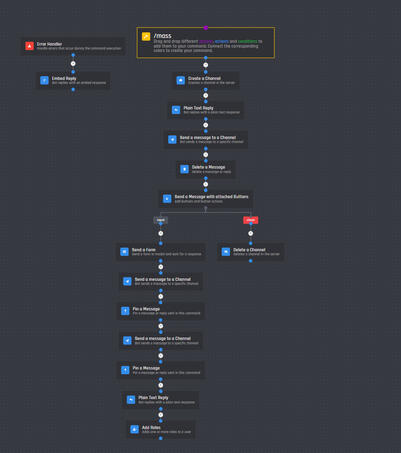
creating a channel
CODE
CMD_ebeaf4c9-efd5-4fb1-9b81-6e1d11e90120
REQUIRED INFO
﹒u need to get your ticket category id (where users open their tickets). find the category id on create a channel block then replace what i input with yours.
﹒change the role into your access role on the add roles block
﹒make sure to put the bot's role above the roles
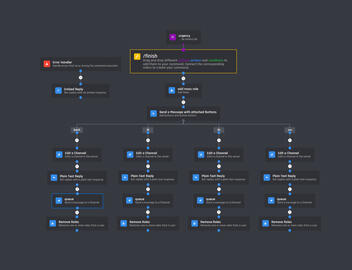
when user is done posting servers
CODE
CMD_98ac336f-89b4-4706-9492-b359a0582352
REQUIRED INFO
﹒on remove roles block, replace the read role with the access role.
CRUCIAL INFO (regarding on queue blocks)
﹒on the queue block, please input your server id!
https://discord.com/channels/{server_id}/{channel_id}
e.g. https://discord.com/channels/1270329750803578922/{channel_id}
﹒then, below the specific channel, replace #s with your own queue channel
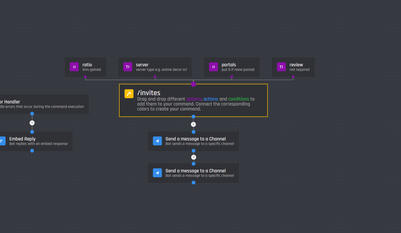
sending ratio in a channel
CODE
CMD_26d5384f-a3ef-4fb8-a1b9-d2dc3fb149f9
REQUIRED INFO
﹒on send a message to a channel blocks, replace #s with your invite/review channel
CRUCIAL INFO
﹒if you're using a ticket bot to close and open tickets, you can remove the send a message with a button block and delete a channel block.
﹒do not let users run the command in any channel but in their own ticket/s. (which is why i put a button to close the tck)
when you are done posting the tck
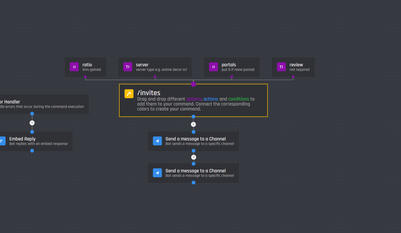
CODE
CMD_83e74978-8c31-4d68-b444-7b05ada54e16
REQUIRED INFO
﹒i didn't require to input the tck option just incase if you're self massing
﹒on posted block, replace #s with your done/posted channel.